
FAB Bank Salary Account Balance Check Online & Offline Methods
If you receive your monthly salary from First Abu Dhabi Bank (FAB), then it’s important to manage your life in the UAE with a constant check-up of your salary account balance. FAB offers multiple easy ways to check your balance, both online and offline. Once your salary has been transferred, you will need to know how to quickly and easily check your balance.
What is FAB Salary Account
A FAB Salary Account is a bank account offered by First Abu Dhabi Bank for employees to receive their monthly salaries directly from their employer. It provides easy access to salary funds along with essential banking services such as balance checks, ATM withdrawals, and online banking. The account is usually opened under a salary transfer agreement between the employer and FAB. FAB salary account holders can manage their funds conveniently through the FAB mobile app, online banking, or ATMs.
Easy Ways to Check Your FAB Salary Account Balance
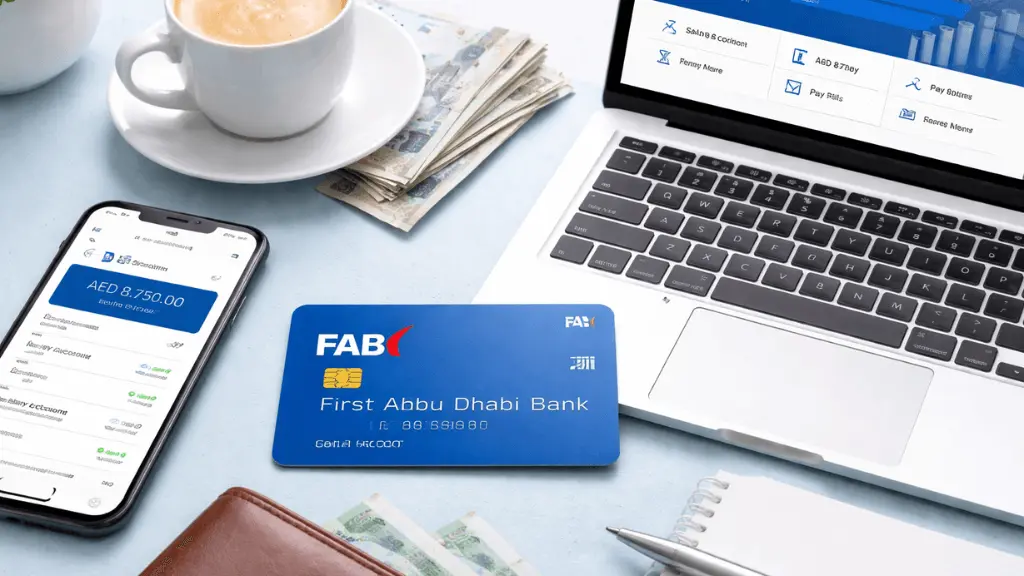
You can easily check your FAB salary account balance using official and secure methods provided by First Abu Dhabi Bank. FAB allows users to view their balance through the mobile app, online banking, ATMs, SMS services, and customer support. These options help salary account holders access real-time balance details anytime, without hassle.
FAB Bank Salary Account Balance Check using the Mobile App
The FAB Mobile App puts the bank’s power right in your hand, and you can view your account balance with a single click. It’s secure, fast, and available 24/7. The FAB app also allows you to transfer funds, pay bills, and manage credit cards. It makes it a complete digital bank.
- Download & Log in: Download the official FAB Mobile App from the Apple App Store, Google Play Store, or Huawei App Gallery.
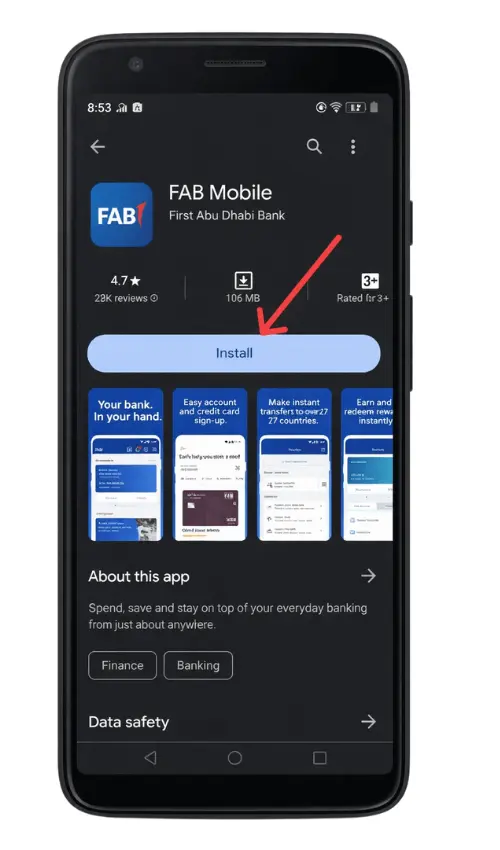
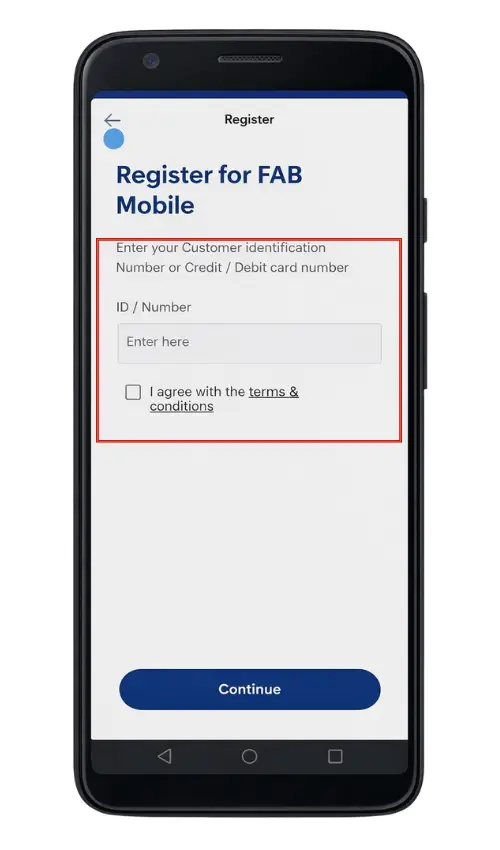
- Log in by adding your Customer ID and App password
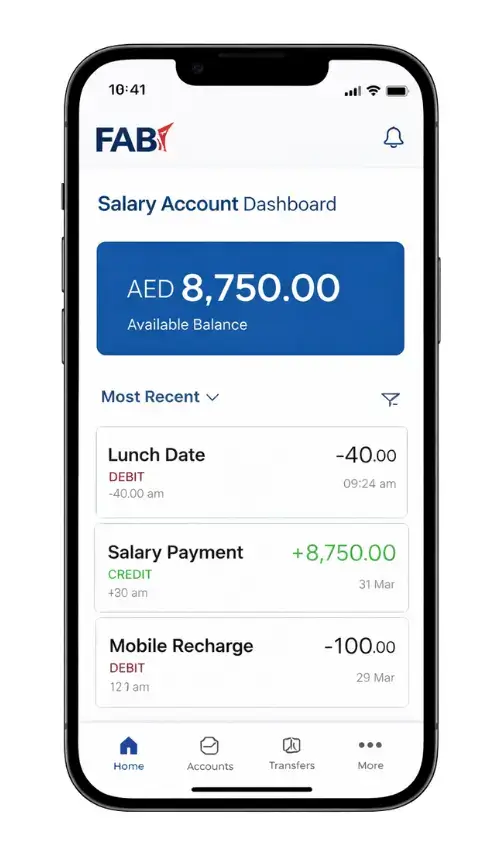
- Once logged in, your primary account balance will be displayed prominently on the app’s home page or dashboard.
- Tap on a specific salary account to view recent transactions, transfer history, and other account details.
FAB Bank Salary Account Balance Check via Online Banking
For those who prefer a desktop or laptop, the FAB Online banking platform provides a smooth and secure way to check your salary account balance. Users can have detailed statements, multiple accounts to manage in one place, and they can also download e-statements for record-keeping.
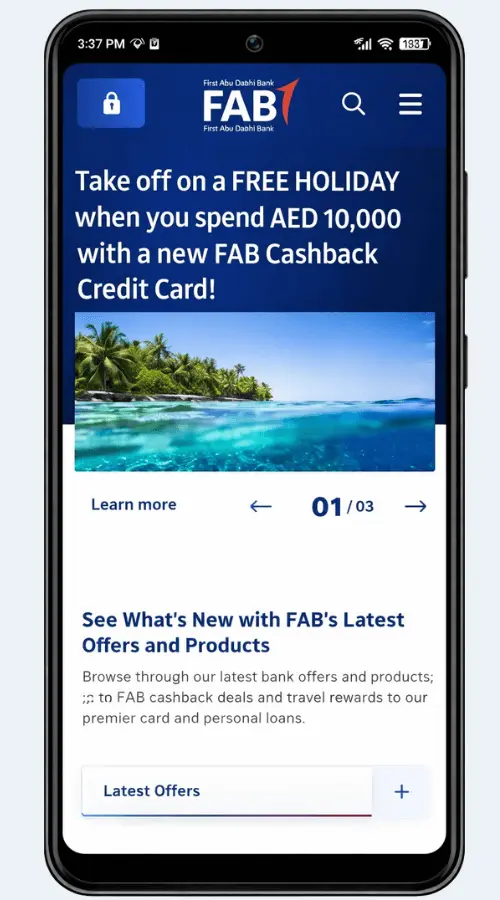
- Access the Portal: Visit the official website: www.bankfab.com
- Click on the Login and select “Online Banking”.
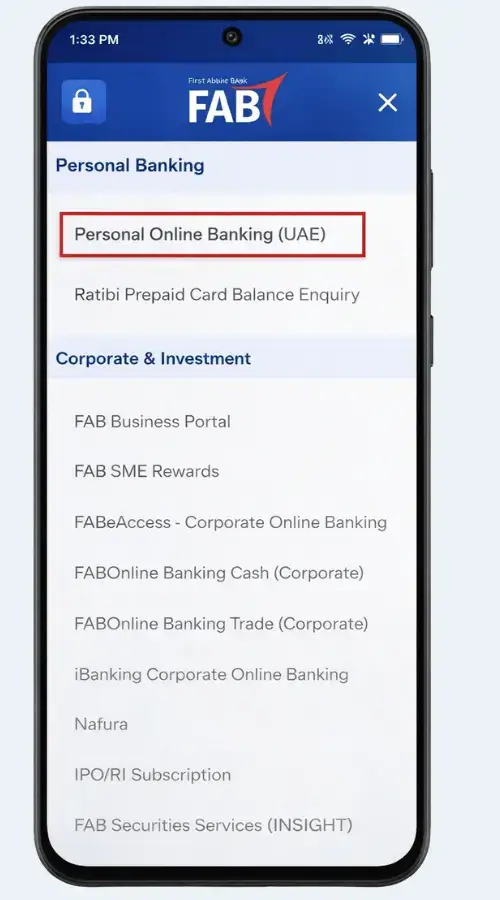
- choose Personal Online Banking (UAE) to securely access your FAB account online.
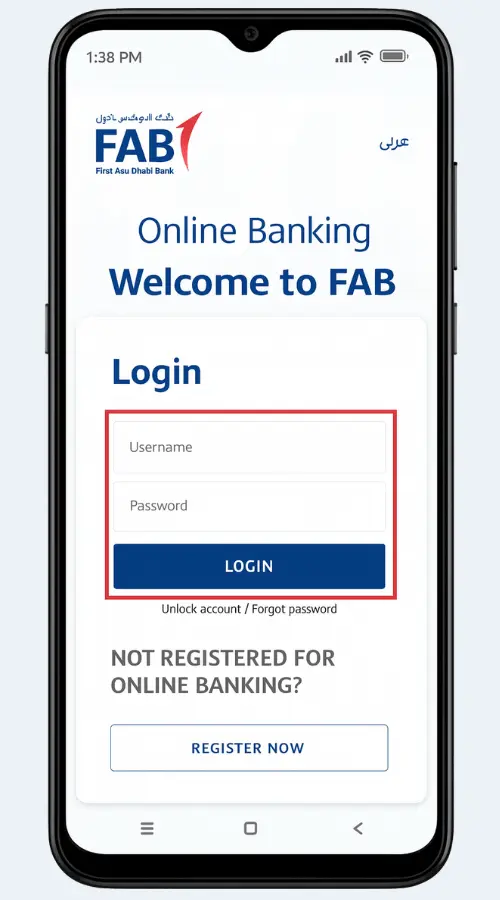
- Log in using User ID and Password.
- View your FAB salary account balance instantly on your device screen.
FAB Salary Check Via ATM
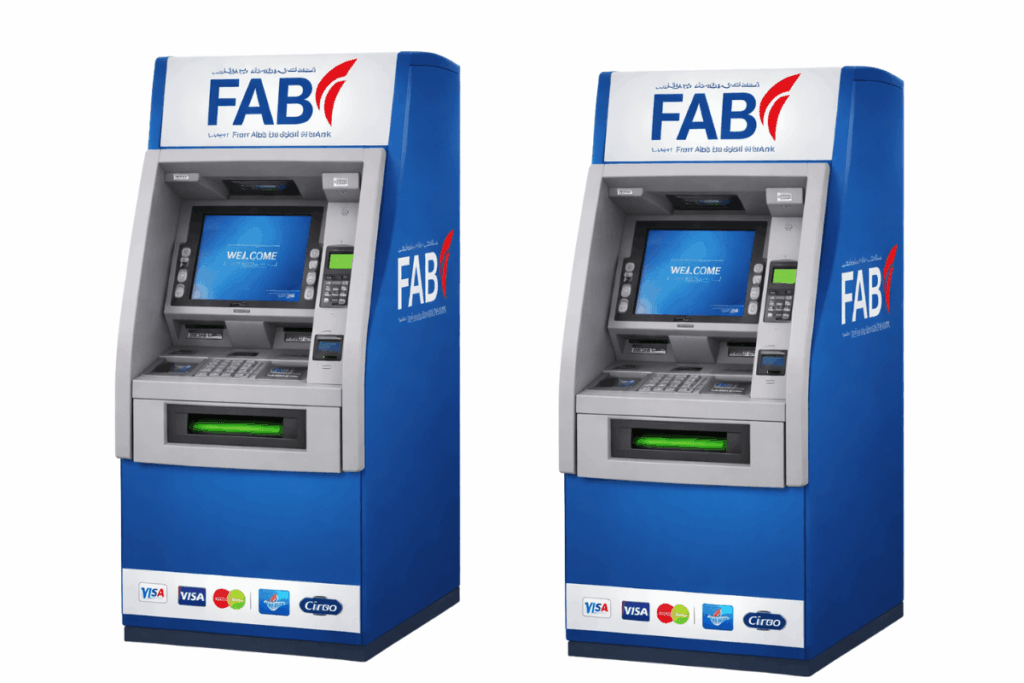
If you prefer a physical check, FAB ATMs are available across the UAE, including in malls, metro stations, and business centers. The ATM remains a reliable way to check your balance 24/7.
- Insert Card: Insert FAB debit card into any FAB ATM(or any other ATM network that supports your card, though FAB ATMs are recommended).
- Enter PIN: Enter your PIN code.
- Select Service: Select ‘Balance inquiry’ or ‘Account Balance’ option from the main menu.
- View or Print: Your current balance will appear on the screen, and you have the option to print a statement or receipt.
Salary Account Balance Check Using Customer Service
If you face an issue accessing your account online or via the app, FAB’s customer service team is always available to assist. The FAB call centre provides a secure way to check your balance.

- Call the Number: Dial the 24-hour FAB Service number for UAE customers, 600 52 5500. If you are calling from outside the UAE, use +971 2 68 1511.
- Language Selection: Follow the prompts and select the preferred language.
- Verification: You will be asked to enter your debit card number or customer ID, followed by your telephone banking PIN for security verification.
- Request Balance: Follow the voice menu options and select “Balance Inquiry” to hear your current salary account balance read out by the automated system or a customer service representative.
FAB Salary Account Balance Check via SMS
It’s ideal for quick updates on the go, and you can check your account balance without internet access.
- Registered your mobile number with FAB.
- Send an SMS in the following format:
- (BAL space Last 4 digits of your Account Number)
- Example: BAL 1234
- Send it to 2121 (for UAE users).
- You will receive an instant reply with your current account balance.
Note: Standard SMS charges may apply depending on your mobile network provider.

Salary Account Balance Check Visit a FAB Branch
If you prefer face-to-face service or need assistance with other banking matters, and you have free time, you can visit your nearest FAB branch. Bring your Emirates ID and debit card for quick verification. The bank officer will help you check your account balance and answer any related queries.
Note: You can find your nearest branch using the branch locator tool on FAB’s official website.

Key Features of FAB Salary Account
Employees can get multiple benefits by opening a salary account at FAB. After your salary has been deposited into your account, you can immediately access your money. The key features are: free balance inquiry options, instant access to your salary, 24/7 access through online and mobile banking, secure transactions, and balance management.
FAB’s salary accounts used by the employers are linked to the payroll system. Salaries are transferred electronically, ensuring quick access to funds, and workers will also be notified via SMS.
FAB Bank Salary Account Opening Online
Managing salaries is now simpler than ever and as easy as a gentle breeze. As an individual, you can open your salary account, no long lines, no waiting, just a few simple steps from your home.
Who Can Open a FAB Salary Account?
Before you begin your journey of opening an account, make sure you are ready with the right things.
For Individuals/Customers
- You must live in the UAE and possess an Emirates ID.
- Keep your passport and residency visa with you.
- Your salary should come directly from your employer to FAB Bank.
For Workers / Companies
The workers or companies must be registered with the UAE government. Valid copies of company documents like the trade license, company registration, and the owner’s ID.
Documents You’ll Need
To open your salary account in FAB, you need to present the following documents.
- Emirates ID: Your main proof of who you are.
- Passport and Visa: Especially if you are an international worker.
- Salary Certificate: A salary certificate issued by the employer stating your monthly salary.
- Proof of Address: May be a utility bill or rental contract.
How to Open Your Salary Account Online?
Follow these steps, and you’ll have your account open in no time!
Step 1: Visit the FAB website or App
- Go to www.bankfab.com
- Or download the FAB Mobile App from the Google Play Store or the Apple App Store.
Step 2: Click “Open an Account”
- On the homepage or app, find and click “Open an Account”.
- Choose “Salary Account”.
Step 3: Fill in Your Personal Details
- Type your name, Emirates ID, mobile number, and email.
- The details should match your official documents.
Step 4: Upload the Official Documents
- Upload your passport, Emirates ID, Visa, salary certificate, and Address Proof.
Step 5: Verify Your Identity
- You will receive an OTP on your mobile.
- Enter it to confirm, or you may have a quick video call with a FAB agent.
Step 6: Submit and wait for approval.
- Check your details carefully and submit.
- FAB will review your documents and send a confirmation by SMS or Email.
- After approval, you can log in and start using your FAB salary Account.
Final Thoughts
FAB ensures that salary account holders stay on top of their finances. Whether you use the mobile app, online banking, or SMS, each method is secure and user-friendly. Regularly checking your balance isn’t just a routine- it’s a financial habit that empowers you and gives you peace of mind. So, do not worry about your FAB balance inquiry; just take control of your financial future today.